Posted on 23 December 2024
Free Payroll Template: Excel, Word, PDF & Google Sheets
- Available in Excel, Google Sheets, Word and PDF, free to download with no sign-up required
- Calculates regular pay, overtime, gross pay, statutory deductions, income tax and net pay automatically in Excel and Google Sheets
- Built with deduction rows for the Philippines (SSS, PhilHealth, Pag-IBIG), the United States (Social Security, Medicare, FUTA), South Africa (UIF, SDL) and India (EPF, ESI) in one workbook
Includes a filled payroll sample, the employer cost of every employee, a payslip that fills itself and a journal summary that balances
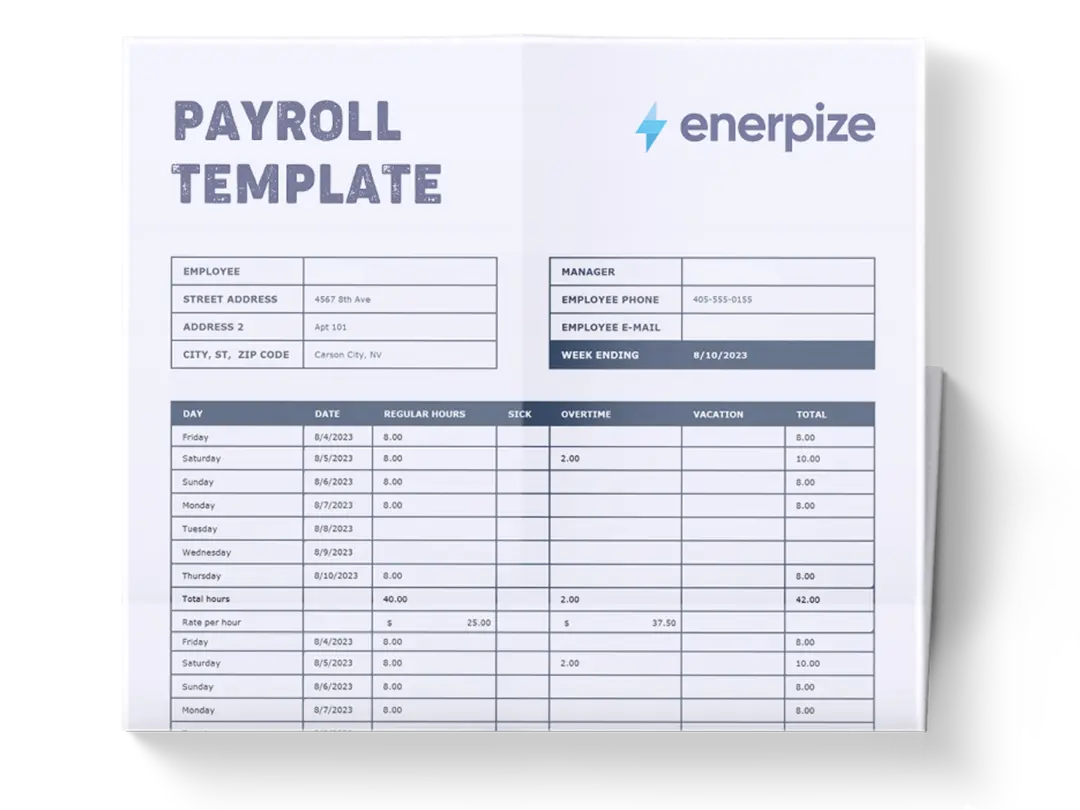
A payroll template is a structured worksheet that lists every employee in a pay period, calculates their gross pay, subtracts taxes and statutory contributions, and shows the net pay each person takes home, giving the business one clear, repeatable record of what it paid, what it withheld and what it owes.


What Is a Payroll Template?
Payday is the one deadline nobody gets to move.
Your staff will forgive a late newsletter. They will not forgive a late salary, or a salary that is short by one overtime shift. That is why payroll deserves its own document, not a corner of your expense sheet.
A good template gives every pay period the same shape. Employee names on the left. Hours and rates in the middle. Gross pay, deductions and net pay on the right. Fill it in, check it, pay people, file it. Then do it again next period without rebuilding anything.
You will hear it called a few different names. A payroll sheet. A salary sheet. A payroll format. Accountants often call the finished version a payroll register. They all describe the same thing: one table that holds the whole pay run, in a payroll format you can repeat every period.
Here is what it is not.
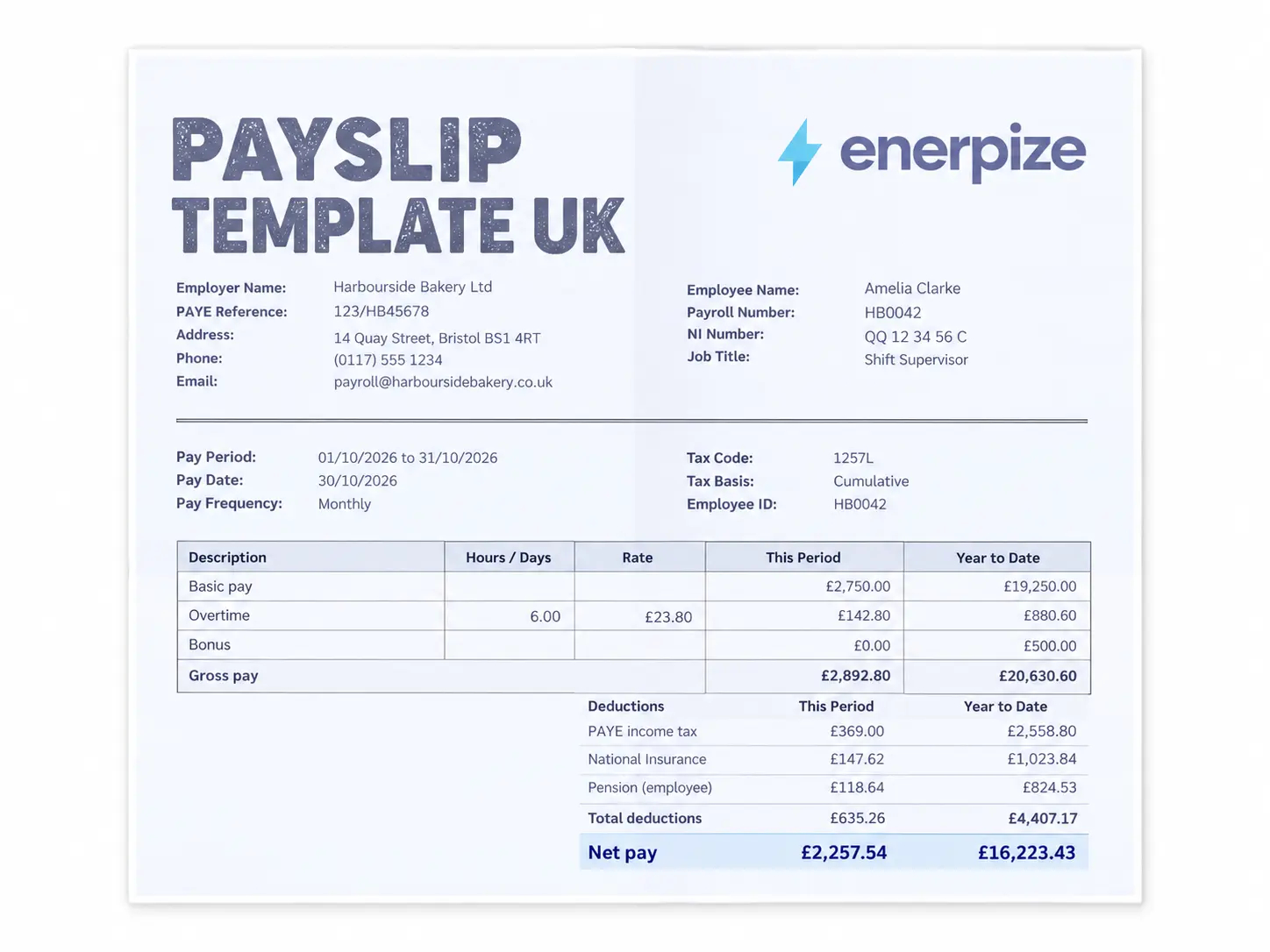
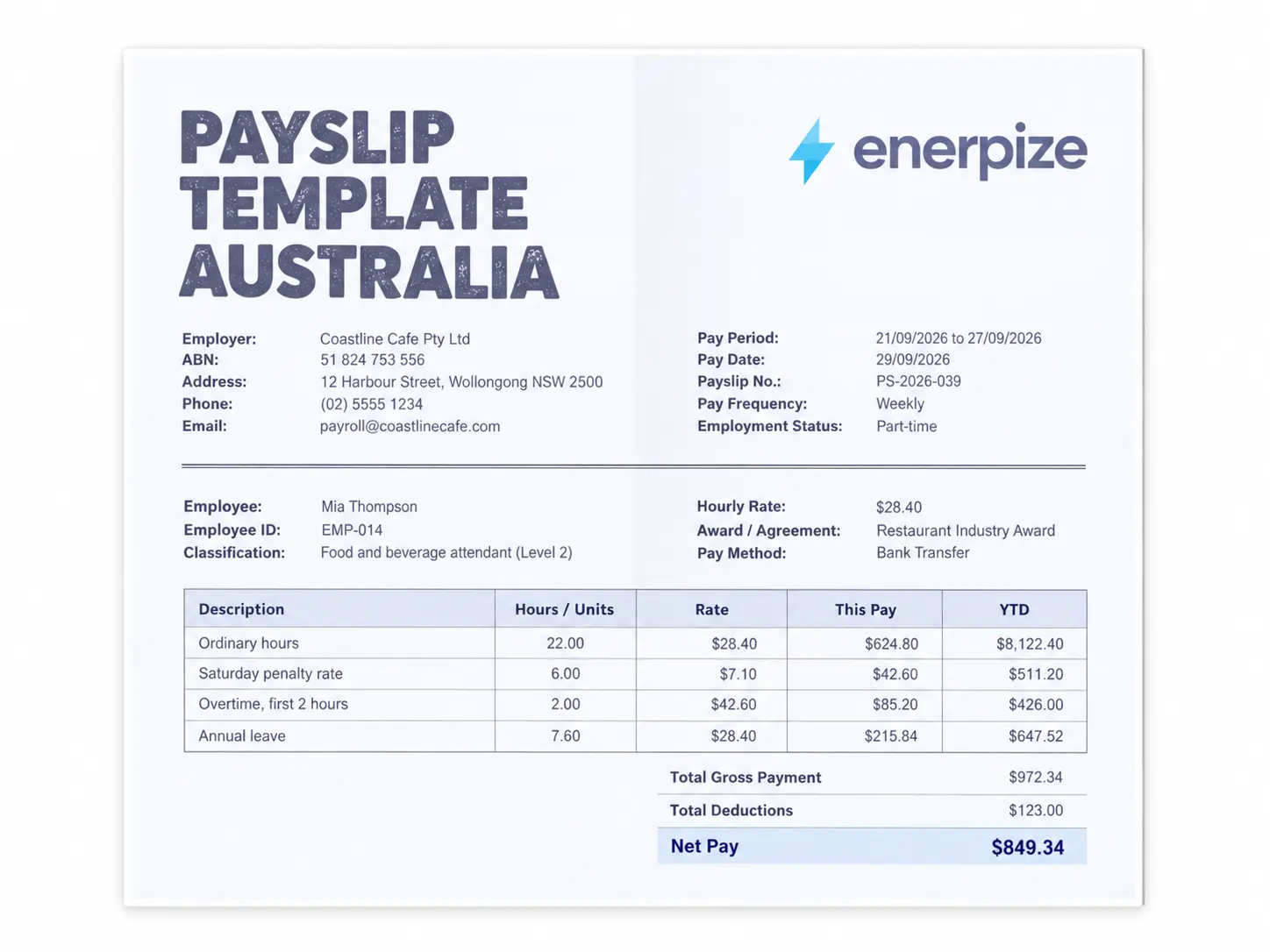
It is not a payslip. A payslip is the single page one employee receives. It is not a journal entry either. A journal entry is how the accountant records the pay run in the books. The template is the master table both of them come from.
If you want the bigger picture before you start, our payroll cheat sheet walks through the full process from timesheets to tax filings.
What a Payroll Sample Looks Like
A payroll sample is a filled-in payroll sheet that shows real numbers for each employee: gross pay, every deduction, net pay and what the employer pays on top. The sample below covers five employees on a monthly payroll in the Philippines for October 2026, with every figure taken from the filled sample in the download.
| Employee | Gross pay | SSS | PhilHealth | Pag-IBIG | BIR tax | Other deductions | Reimbursement | Net pay | Employer cost |
|---|---|---|---|---|---|---|---|---|---|
| Maria Santos | 32,000.00 | 1,600.00 | 800.00 | 200.00 | 1,285.05 | 0.00 | 0.00 | 28,114.95 | 36,230.00 |
| Jose Reyes | 26,077.59 | 1,303.88 | 625.00 | 200.00 | 467.36 | 0.00 | 1,200.00 | 24,681.35 | 29,540.35 |
| Ana Cruz | 18,465.52 | 923.28 | 429.31 | 200.00 | 0.00 | 0.00 | 0.00 | 16,912.93 | 20,971.38 |
| Paolo Garcia | 18,145.00 | 907.25 | 418.00 | 200.00 | 0.00 | 0.00 | 0.00 | 16,619.75 | 20,607.50 |
| Liza Mendoza | 83,000.00 | 1,750.00 | 1,875.00 | 200.00 | 11,668.80 | 2,500.00 | 0.00 | 65,006.20 | 88,605.00 |
| Total (PHP) | 177,688.10 | 6,484.41 | 4,147.31 | 1,000.00 | 13,421.21 | 2,500.00 | 1,200.00 | 151,335.17 | 195,954.22 |
Want this exact sample in Excel? Download the filled payroll sample, then change any number and watch every column recalculate. It is the quickest way to see how the formulas work before you add your own team.
Reading the Sample Line by Line
Read a sample payroll the way the money moves, from left to right. Start with Maria. She earns a flat PHP 32,000 a month, so her gross pay is simply her salary. SSS takes 5% from her side, PhilHealth takes 2.5% and Pag-IBIG takes its PHP 200 maximum. What is left after those three is her taxable income, and the BIR withholding table takes PHP 1,285.05 from it.
Jose worked six hours of overtime, which is why his gross pay is not a round number. He also gets PHP 1,200 back for transport. That reimbursement is added to his net pay, but it is never taxed, because it was never income.
Ana missed a day without pay, and the template deducted it before calculating anything else. Paolo is paid by the hour. Liza earned a commission and repays a salary loan, and she is the only one whose SSS contribution stops at the cap.
Now look at the last column. The company pays PHP 177,688.10 in gross salaries, yet the true cost of this payroll is PHP 195,954.22. That gap of more than PHP 18,000 is the employer’s share of SSS, Employees’ Compensation, PhilHealth and Pag-IBIG. It never shows up on a payslip, and it surprises a lot of first-time employers.
What to Include in a Payroll Template
An employee payroll template only works if every number has a home. These are the fields that matter, and why.
| Field | Why it matters |
|---|---|
| Employee ID and name | Keeps every row tied to one person, even when two employees share a name |
| Pay type (salaried or hourly) | Decides whether pay comes from a fixed salary or from hours worked |
| Pay period and pay date | Proves which work the payment covers and when it was made |
| Regular hours and overtime hours | Overtime is paid at a higher rate, so it must be counted separately |
| Paid leave and unpaid absence | One adds to pay, the other comes off it before tax is calculated |
| Bonus and commission | Taxable earnings that change from period to period |
| Gross pay | The total earned before anything is withheld |
| Statutory contributions | Social security, health insurance and housing funds required by law |
| Income tax withheld | The employee’s tax, deducted and paid to the tax authority for them |
| Other deductions | Loans, salary advances and voluntary deductions the employee agreed to |
| Reimbursements | Expenses paid back to the employee, outside taxable pay |
| Net pay | What actually lands in the employee’s account |
| Employer contributions | What the business pays on top of salary, per employee |
If I had to pick one field that gets ignored the most, it would be the last one.
Gross pay tells you what your people earn. Employer contributions tell you what your people cost. In the United States alone, the employer matches 7.65% of wages in Social Security and Medicare before a single benefit is added, according to IRS Publication 15. Budget without that column and your payroll will always be bigger than your plan.
What the Enerpize Payroll Template Includes
Before building this one, I ran real pay periods through the payroll files small businesses actually download. I wanted one file that handles more than one country, more than one pay type, and keeps going after net pay. So I built it.
One Switch, Four Countries
Pick the Philippines, the United States, South Africa or India from a single dropdown. The deduction columns rename themselves, the rates load and the caps apply. SSS stops at its salary credit ceiling. US Social Security stops at the 2026 wage base. UIF stops at its monthly ceiling. You never edit a formula to change countries.
A Filled Payroll Sample, Not a Blank Grid
A blank grid tells you where numbers go. A filled sample tells you what right looks like. The download includes both, and the sample uses five realistic employees with overtime, a commission, an unpaid absence, a reimbursement and a salary loan, so every column has something to show.
The Employer Cost Column
Every row ends with the employer’s contributions and the total cost of that employee. This is the number your budget needs, and it is the one most people calculate on the back of an envelope.
Overtime Premium on Its Own Line
The template splits overtime into the regular rate and the premium on top of it. That split matters in the US, where employers must report qualified overtime separately on Form W-2 from tax year 2026. It is just as useful anywhere else, because it shows exactly what overtime is costing you.
A Check Column That Talks Back
Each row checks itself. It flags negative net pay, deductions above half of gross pay and employee IDs that do not exist. Think of it as a colleague who reads over your shoulder before you press send.
Payslips and a Journal That Balances Itself
Pick an employee ID and the payslip sheet fills in. Open the journal summary and the pay run is already split into debits and credits, with a line that confirms both sides match. Your accountant will thank you.
Payroll Template vs Payslip vs Payroll Register vs Payroll Journal Entry
These four documents get mixed up constantly, mostly because they share the same numbers.
| Document | Who uses it | What it shows | How often |
|---|---|---|---|
| Payroll template | Owner, HR or bookkeeper | Every employee, from hours to net pay | Every pay period |
| Payslip | Each employee | One person’s earnings, deductions and net pay | Every pay period |
| Payroll register | Accountant or auditor | The finished, approved record of a pay run | Every pay period, kept for years |
| Payroll journal entry | Accountant | Debits and credits that post payroll to the books | Every pay period |
The template is where you work. The payslip is what you hand out. The register is what you keep. The payroll journal entry is what you post.
One pay run, four views, the same numbers.
How to Use the Payroll Template
Eight steps, one pay period. Once the first run is set up, the next ones take minutes.
Step 1: Choose Your Country and Pay Frequency
Open the Settings sheet, pick your country and choose weekly, biweekly, semi-monthly or monthly. Want a monthly payroll template? Choose Monthly and every salary divides by twelve. Enter the pay period dates and the pay date. Everything else reads from here, so get this part right first.
Step 2: Add Your Employees
On the Employees sheet, add one row per person with their ID, job title, department and pay type. If someone already earned money this year, enter their year-to-date gross. That is how annual caps, like the US Social Security wage base, stop at the right moment.
Step 3: Enter Salaries or Hourly Rates
Salaried staff get an annual salary. Hourly staff get an hourly rate. The template converts salaries into an hourly equivalent automatically, which it needs for overtime and unpaid absences.
Step 4: Log Hours, Overtime and Leave
In the pay run sheet, enter each employee’s ID, then their overtime hours, paid leave, unpaid absence, bonus and reimbursements for the period. Hourly staff also need their regular hours. If you want to sanity check an overtime figure before you type it, our overtime calculator does it in seconds.
Step 5: Let the Formulas Do the Math
This is the payroll format in Excel with formulas that most people end up building by hand. Regular pay is salary divided by pay periods, or rate times hours. Overtime pay is overtime hours times the hourly rate times the overtime multiplier. Gross pay is regular pay minus unpaid absence plus overtime plus bonus. Net pay is gross pay minus every deduction plus reimbursements. You type the inputs. The sheet does the arithmetic.
Step 6: Review Employer Cost and the Check Column
Before you approve anything, scan the check column. Every row should say OK. Then look at total employer cost, because that is the number leaving your bank account once contributions are paid.
Step 7: Generate Payslips
Open the Payslip sheet, choose an employee ID and print or save it as a PDF. If you need a standalone layout to send employees, our payslip template is built for exactly that.
Step 8: Post the Journal and File Your Records
Send the journal summary to whoever keeps your books, pay the contributions and taxes to each authority, and save the whole workbook with the period in the file name. In the US, the Department of Labor expects payroll records to be kept for at least three years. The Philippines and South Africa set their own rules, covered below.
A Worked Payroll Example: Hourly Employee (United States)
Numbers make this easier to follow than steps alone, so here is a payroll example for one week.
An employee earns $20 an hour and works 42 hours in one week: 40 regular hours and 2 hours of overtime at 1.5 times the rate. Regular pay is $800 (40 × $20). Overtime pay is $60 (2 × $30). Gross pay for the week is $860.
Social Security takes 6.2% ($53.32) and Medicare takes 1.45% ($12.47). Say federal income tax withholding comes to $86.00 and state income tax to $34.40. Those two are illustrative, since real withholding depends on the employee’s Form W-4 and state rules. Total deductions are $186.19, and net pay lands at $673.81.
The employer then pays its own $53.32 of Social Security, $12.47 of Medicare and $5.16 of FUTA, assuming the employee is still under the first $7,000 of wages for the year. Total cost of this one week: $930.95. And the $20 of overtime premium, the half on top of the regular rate, is exactly what the template tracks for W-2 reporting.
A Worked Payroll Example: Monthly Salaried Employee (Philippines)
Maria Santos earns PHP 32,000 a month. Her employee contributions are PHP 1,600 to SSS, PHP 800 to PhilHealth and PHP 200 to Pag-IBIG, a total of PHP 2,600. That leaves PHP 29,400 of taxable income.
Under the BIR withholding table, the first PHP 20,833 a month is taxed at zero and the excess at 15%. That makes her withholding tax PHP 1,285.05, and her net pay PHP 28,114.95.
Her employer pays PHP 3,200 to SSS, PHP 30 of Employees’ Compensation, PHP 800 to PhilHealth and PHP 200 to Pag-IBIG. Her real cost to the business is PHP 36,230 a month, about 13% more than her salary.
How Enerpize Handles Payroll Beyond the Spreadsheet
Here is a question worth asking every few months: how much of your payroll is calculation, and how much is copying numbers from somewhere else?
A payroll spreadsheet only knows what you type into it. Attendance lives in one file, loans in another, and the accounting entry gets typed a third time. Enerpize is a cloud-based, all-in-one ERP platform for small and medium-sized businesses, combining accounting, inventory, HR, sales, and CRM in a single system, so payroll pulls from the same records the rest of the business uses. Enerpize has served more than 1.5 million employees, and over 230,000 requests are approved through it every month. Here is what changes once payroll moves out of the workbook and into the Enerpize payroll and contracts system.
Salary Rules You Describe, Not Code
Every business has a rule that breaks spreadsheets. Half a day deducted after three late arrivals. Time and a half for weekend shifts. In Enerpize, you can type that rule in plain language and the AI salary components feature, still labeled experimental, writes the formula for you. You then test it on a real employee before it touches a payslip. We explain how it works in our guide to AI-driven ERP software.
Payslips That Already Know Who Was Late
A template cannot see your attendance sheet. Enerpize links payroll to attendance and leave, so late arrivals, absences and approved overtime flow into the pay run instead of being retyped. Pay runs can be generated for a whole branch, a department or a few employees, and managers approve bonuses and commissions before anything is paid.
Advances, Loans and Reimbursements in One Payslip
Salary advances never fit neatly into one pay period. Enerpize lets you set the advance amount and the installment schedule, then choose whether it comes out of future payslips or is handled separately. Travel claims, petty cash and company card settlements can be consolidated into the same payslip instead of a separate reconciliation file.
Where Payroll Meets the General Ledger
The last mile of manual payroll is typing the same numbers into the books. In Enerpize, payroll transactions are consolidated with your bank statements, payroll ledger entries can be allocated to cost centers, and tax journal accounts stay tracked. You set the pay run currency, the payout account and the payment date once.
If your team is small and stable, the free template still covers you. When the copying starts taking longer than the calculating, that is the moment to switch.
Payroll Deductions by Country
Most of this page’s readers run payroll in the Philippines, the United States or South Africa, so those three get the full treatment below. Each follows the same shape: what the law asks for, what to add to your sheet and one practical note.
Philippines
Philippine payroll is generous with acronyms. Miss one and an employee finds out the hard way when they try to borrow from Pag-IBIG or claim SSS sickness benefits.
Employers deduct and remit three contributions every month, on top of income tax. Under the schedule in force since January 2025, the Social Security System collects 15% of the monthly salary credit, split 10% employer and 5% employee, with the credit capped at PHP 35,000. PhilHealth collects 5% of basic monthly salary, split equally, with a floor of PHP 10,000 and a ceiling of PHP 100,000. Pag-IBIG collects 2% from each side on up to PHP 10,000, which works out to PHP 200 each. Income tax follows the BIR withholding table under the TRAIN law, which exempts the first PHP 250,000 of annual taxable income.
What to add for Philippine payroll:
- Separate rows for SSS, PhilHealth and Pag-IBIG, each with an employee share and an employer share
- Employees’ Compensation of PHP 10 or PHP 30 a month, paid by the employer only
- BIR withholding tax calculated after the three contributions are taken out
- A 13th month pay line of at least one twelfth of basic salary earned in the year, due by December 24
- Overtime at an extra 25% on ordinary working days, and higher on rest days and holidays
Practical note for Philippine businesses: remit withholding tax monthly through BIR Form 1601-C and give each employee a BIR Form 2316 at year end. Keep payroll and time records for at least three years, because DOLE inspectors can ask for them.
United States
US payroll is two systems stacked on top of each other: federal and state. A template that lumps them into one tax column will be wrong the first time a state changes its rate.
Social Security and Medicare, together called FICA, are withheld from the employee at 6.2% and 1.45%, and the employer pays the same again. Social Security stops once an employee’s wages reach the 2026 wage base of $184,500, while Medicare continues with no cap, and an extra 0.9% Additional Medicare tax is withheld on wages above $200,000. The employer also pays FUTA at an effective 0.6% on the first $7,000 of each employee’s wages. All of it is laid out in IRS Publication 15, and late deposits are costly: the IRS charges 2% for deposits 1 to 5 days late, rising to 10% after 15 days.
What to add for US payroll:
- Separate rows for federal income tax, state income tax and local tax where it applies
- Social Security and Medicare for both the employee and the employer
- A year-to-date gross column so Social Security stops at the wage base
- Overtime at 1.5 times the regular rate for hours over 40 in a workweek, under the FLSA
- A separate line for the overtime premium, reported in Box 12 of Form W-2 with Code TT from tax year 2026
Practical note for US businesses: file Form 941 every quarter and issue Forms W-2 every January. Under the Department of Labor’s recordkeeping rules, payroll records must be kept for at least three years and timecards for two.
South Africa
South African payroll looks simple until month end, when everything is due at once on a single return.
Employers withhold PAYE using the SARS tax tables and deduct 1% of remuneration for the Unemployment Insurance Fund, matching it with another 1%. UIF only applies to earnings up to R17,712 a month, so the most anyone pays is R177.12 a side. Businesses with an annual payroll above R500,000 also pay the Skills Development Levy at 1%. PAYE, UIF and SDL all go to SARS on one EMP201 return by the 7th of the following month.
What to add for South African payroll:
- PAYE from the current SARS tables
- UIF rows for the employee and the employer, capped at the monthly ceiling
- SDL for the employer if annual payroll exceeds R500,000
- Overtime at 1.5 times the normal wage, with no more than 10 overtime hours a week under the Basic Conditions of Employment Act
- Year-to-date totals for the IRP5 certificates you issue after the tax year closes
Practical note for South African businesses: reconcile PAYE, UIF and SDL twice a year on the EMP501. Keep time and pay records for at least three years under the Basic Conditions of Employment Act, and tax records for five years under the Tax Administration Act.
Deduction Rows at a Glance
| Country | Employee deductions | Employer contributions |
|---|---|---|
| Philippines | BIR withholding tax, SSS 5%, PhilHealth 2.5%, Pag-IBIG 2% | SSS 10% plus EC, PhilHealth 2.5%, Pag-IBIG 2% |
| United States | Federal and state income tax, Social Security 6.2%, Medicare 1.45% | Social Security 6.2%, Medicare 1.45%, FUTA 0.6% |
| South Africa | PAYE, UIF 1% | UIF 1%, SDL 1% |
| India | TDS, EPF 12% of basic, ESI 0.75%, Professional Tax | EPF 12%, ESI 3.25% |
| Kenya | PAYE, SHIF 2.75%, Affordable Housing Levy 1.5%, NSSF | Affordable Housing Levy 1.5%, NSSF |
| Nigeria | PAYE, pension 8%, National Housing Fund 2.5% | Pension 10% |
India is built into the template too. Kenya and Nigeria can be added in the Settings sheet’s spare rows.
Payroll in Practice: Four Industry Scenarios
On paper, payroll looks the same in every industry. Fill it in and the differences show up fast. Here is how four very different businesses use the same sheet.
Retail Stores: Shifts That Never Match the Calendar
A store with weekend shifts and seasonal staff runs mixed payroll every period. Some cashiers are salaried, some are hourly and almost everyone does overtime in December. The pay type column and the overtime premium line do most of the work here. Stores that outgrow the sheet usually move to retail store management software that keeps POS sales, staff and payroll in one system.
Cleaning Services: Crews Paid by the Hour
Cleaning companies live on hourly rates and travel between sites. The regular hours column carries the load, reimbursements cover transport, and unpaid absence keeps no-shows honest. Once crews and jobs multiply, cleaning services software keeps crews, jobs and invoicing in one place.
Auto Repair Shops: Commission on Top of the Wage
Mechanics often earn a base wage plus a commission on billed labor. Put the commission in the bonus column and it flows into gross pay, the deductions and the employer cost without any extra formula. When the commission rules get complicated, auto repair shop management software keeps work orders, invoicing and staff records together.
Clinics: Part-Time Staff and Fixed Salaries
A clinic might pay a full-time receptionist a monthly salary and a part-time nurse by the hour, in the same pay run. The template handles both on one sheet. As appointment volume grows, clinic management software keeps scheduling and staff costs in one place.
Key Takeaways
- A payroll template is the master table of a pay run. Payslips, registers and journal entries are all built from it.
- Gross pay is not the cost of an employee. Employer contributions add a meaningful amount on top, so track them every period.
- Deductions are country-specific. The Philippines, the US and South Africa each need their own rows, rates and caps.
- Caps and thresholds matter. SSS, PhilHealth, Social Security and UIF all stop at a ceiling, which a year-to-date column handles for you.
- Overtime deserves its own line. Splitting out the premium keeps costs visible and supports US Form W-2 reporting from 2026.
- Records outlive the pay run. Keep payroll records for at least three years, and longer where tax law asks for it.
FAQs
What does a payroll look like?
Every payroll format follows the same logic. It is a table with one row per employee and columns that move from left to right: hours and rates, then gross pay, then each deduction, then net pay. The five-person sample on this page shows a complete payroll, including the employer’s contributions.
How do I make a payroll sheet in Excel?
Create columns for employee name, pay type, rate, hours, gross pay, each deduction and net pay. Use formulas such as gross pay = hours × rate and net pay = gross pay minus total deductions. Or download the free Excel payroll template above, which already has the formulas, caps and checks built in.
What should a payroll template include?
At minimum: employee details, pay period, hours or salary, overtime, gross pay, statutory contributions, income tax, other deductions and net pay. A better one also shows employer contributions, year-to-date gross and a check that flags errors before you pay anyone.
Can I do payroll in Excel for free?
Yes. Excel or Google Sheets can calculate payroll accurately for a small team, and this free payroll template needs no sign-up. A payroll spreadsheet starts to struggle once you have dozens of employees and several pay rules. What Excel cannot do is file taxes, pull attendance automatically or post to your books, so most businesses move to payroll software as headcount grows.
Which format should I use: Excel, Google Sheets, Word or PDF?
Use Excel or Google Sheets if you want the calculations done for you. Use the Word file or the payroll template PDF if you prefer a printable register that you fill in by hand and sign. The Word version also includes a blank payslip and the filled sample.
What is the difference between payroll and a payslip?
Payroll covers every employee in a pay period. A payslip covers one employee and is the document they receive. In practice, you complete the payroll first and then produce a payslip for each person from it.
How do I calculate net pay from gross pay?
Start with gross pay, subtract pre-tax deductions such as retirement contributions, subtract the employee’s statutory contributions and income tax, then subtract any loans or advances. Add back reimbursements, since they are not taxable income. What remains is net pay.
How long should I keep payroll records?
At least three years in the United States, the Philippines and South Africa under their labor laws, and five years for tax records in South Africa. When rules overlap, keep records for the longest period that applies to you.
Disclaimer
This template and article are for general information and record keeping. They are not tax, legal or accounting advice. Rates and thresholds change, so confirm them with the relevant authority before you run payroll.
About the Author
Omar El Bahr is a Senior Digital Growth Specialist at Enerpize, where he leads SEO, content strategy, and organic growth across international markets. He is a Forbes Communications Council contributor and has written for Entrepreneur on business communication and digital strategy.